Try anything. Undo everything.
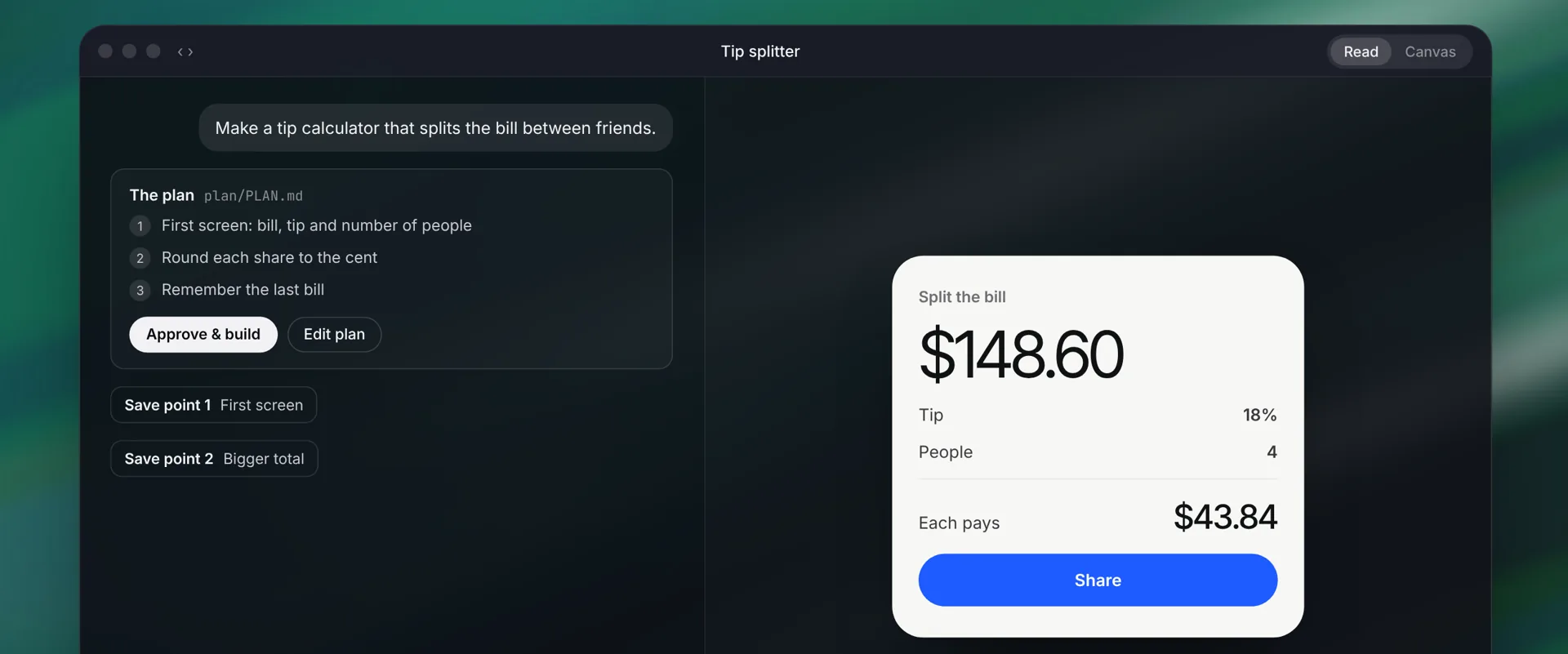
Infinity Code writes a short plan before it touches anything. You approve it, it builds milestone by milestone, and you can go back to any save point. Point at something in the live preview to explain it or change it.
Start anywhere
From an idea, a folder on your Mac or a GitHub repository.
Build, Plan first or Just ask
Let it build, review a plan first, or only ask questions about the code.
Save points
Every change is saved. Go back to here with one click.
Live preview with Point
Your app runs beside the chat. Point at anything to ask about it or change it.
Explain and Change this
Changes happen on draft copies until you keep them.
Code, Changes and Terminal
See the files, the diff and the output in one place.
Your choice of agent
Infinity’s own models, or Claude Code, Codex, OpenCode and Pi.
Secrets with Test and Live values
Kept on your Mac and given to your app, never sent to a model.
Put it live
Deploy to Vercel, Netlify and more when it’s ready.
How it works
- Describe what you want, or open a folder.
- Read the plan Infinity writes and approve it, or edit it first.
- Watch it build in the live preview. Each milestone becomes a save point.
- Point at anything to change it, go back to any save point, and put it live when you’re happy.
Questions
Do I need to know how to code?
No. You can describe an app in plain words and steer it from the preview. If you do code, everything is real files you can open in your own editor.
Can it use Claude Code or Codex?
Yes. Pick Claude Code, Codex, OpenCode or Pi as the agent, using your own plan, or use any model connected to Infinity.
Will it change files without asking?
Only in the folder you give it. Changes are saved as save points, so you can go back to any earlier state. Keep a backup of important work while Infinity is in early testing.
Keep going.
Free · macOS 14+ · Apple silicon or Intel