Help that knows its place.
Give each assistant a job: research, writing, money, trips, anything. They remember what matters, work on a schedule, and bring you a morning brief. When they want to do something new, they ask, and you choose Allow once, Always allow or Not now.
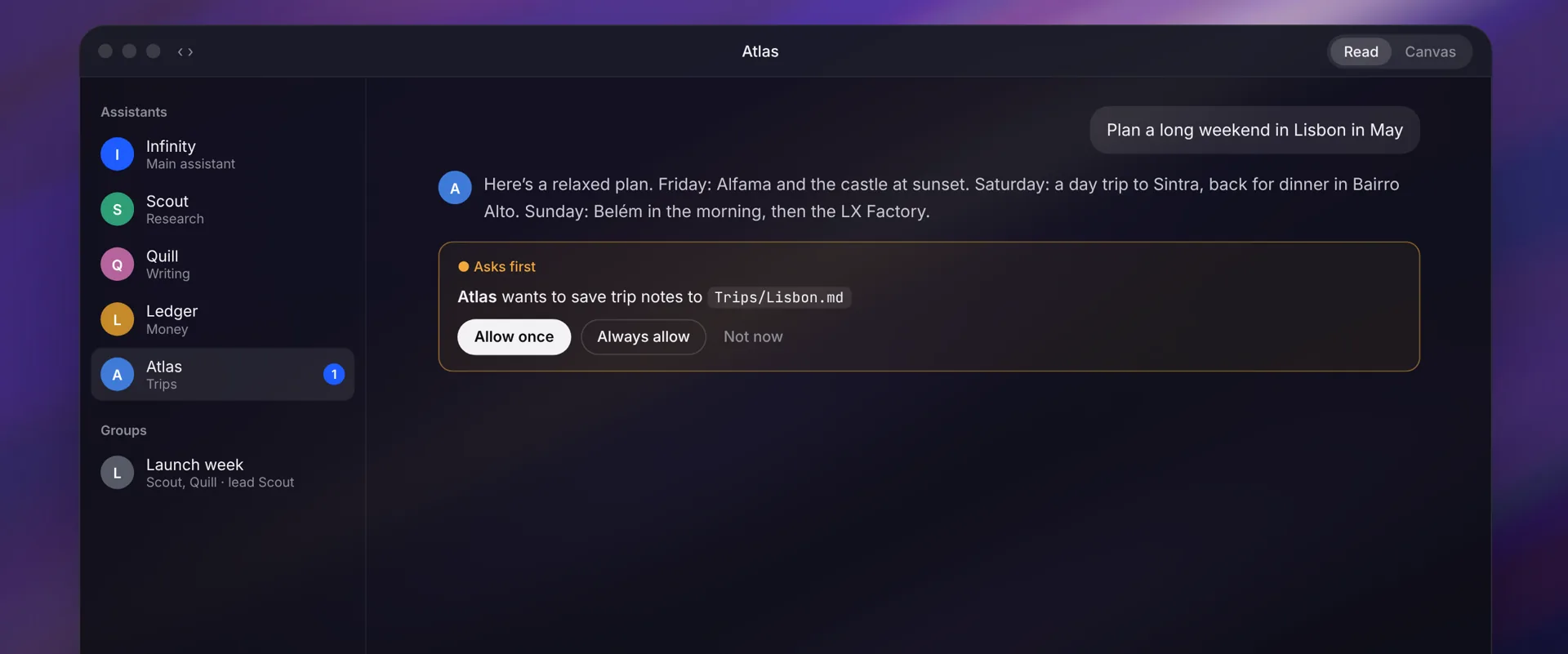
Message them like contacts
Each assistant has its own name, instructions, model, folder and voice.
Memory you control
Read, edit and undo what an assistant remembers.
Asks first
Nothing happens that you haven’t allowed. Approvals wait in an inbox.
Automations
Run tasks on a schedule, like a weekly summary or a daily check.
Your day
A morning brief of what’s waiting for you.
Groups with a lead
Put assistants together on a project, with one in charge.
Calls, out loud
Talk to an assistant and hear it answer.
Teams in one file
Share a set of assistants with someone else as a single file.
Shared projects
Hand a chat to an assistant and everything it needs comes along.
How it works
- Create an assistant, or start with Infinity, Scout, Quill, Ledger and Atlas.
- Give it instructions, a model and, if you like, a folder and a schedule.
- Message it like a contact. It works, remembers and reports back.
- When it wants to do something new, approve it once, always, or not now.
Questions
What can an assistant do on its own?
Only what you allow. By default assistants ask first before acting, and approvals wait in an inbox. You can widen or narrow each assistant’s access any time.
Can assistants run on a schedule?
Yes. Automations run on a schedule you set, like every morning or every Monday, while Infinity is running.
Do assistants work with local models?
Yes. Each assistant can use any connected model, including Ollama, LM Studio and Apple Intelligence on your Mac. For long tasks, give Ollama a 64K context window when Infinity offers.
Keep going.
Free · macOS 14+ · Apple silicon or Intel