Most chats move in a single line.
Infinity lets every answer branch, so you can follow a thought as far as it goes and still find your way back. Ask about a bike, a trip or a contract, then chase each idea that comes up without losing the others.
Fork from any phrase
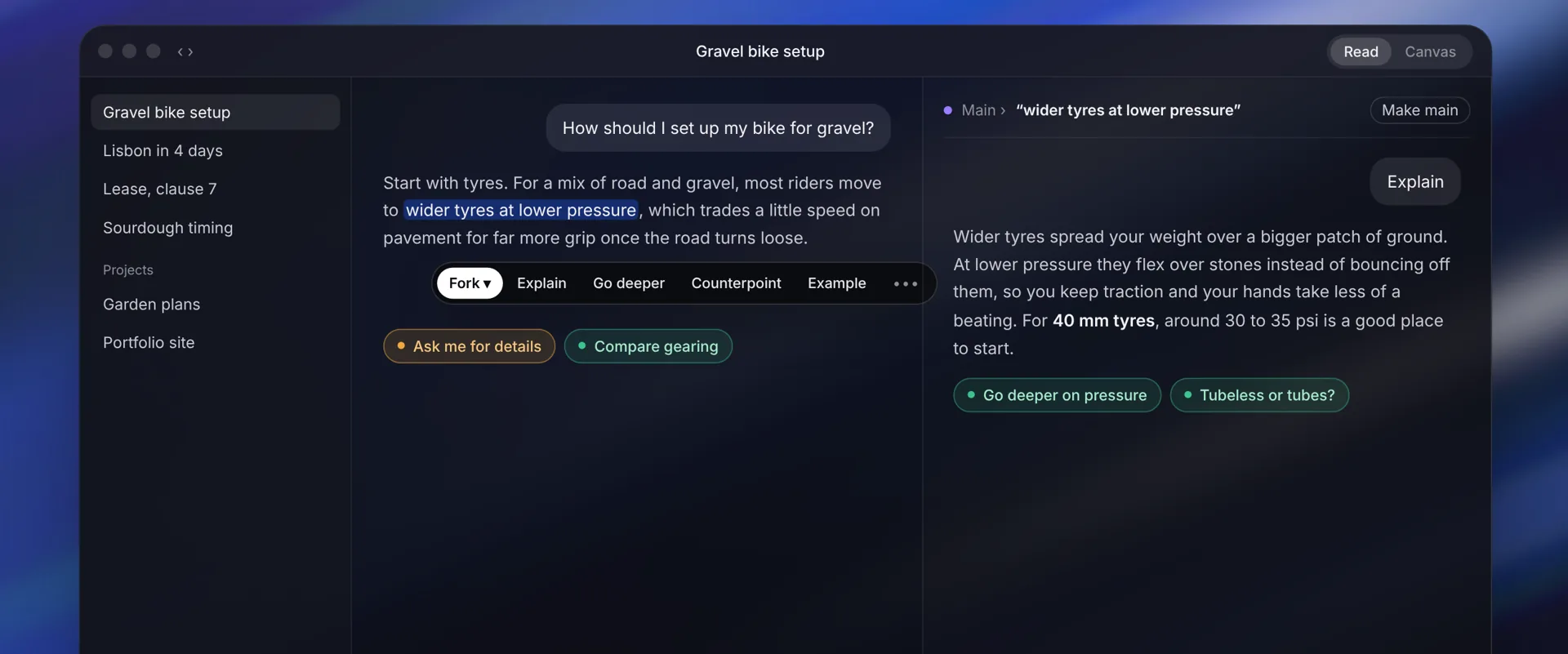
Highlight words in an answer and choose Explain, Go deeper, Counterpoint or Example.
Side by side
A branch opens in a pane beside the chat, or continues below. Two panes at a time, and you can slide between more.
Routes under every answer
Six kinds of next step, chosen for the answer you just got.
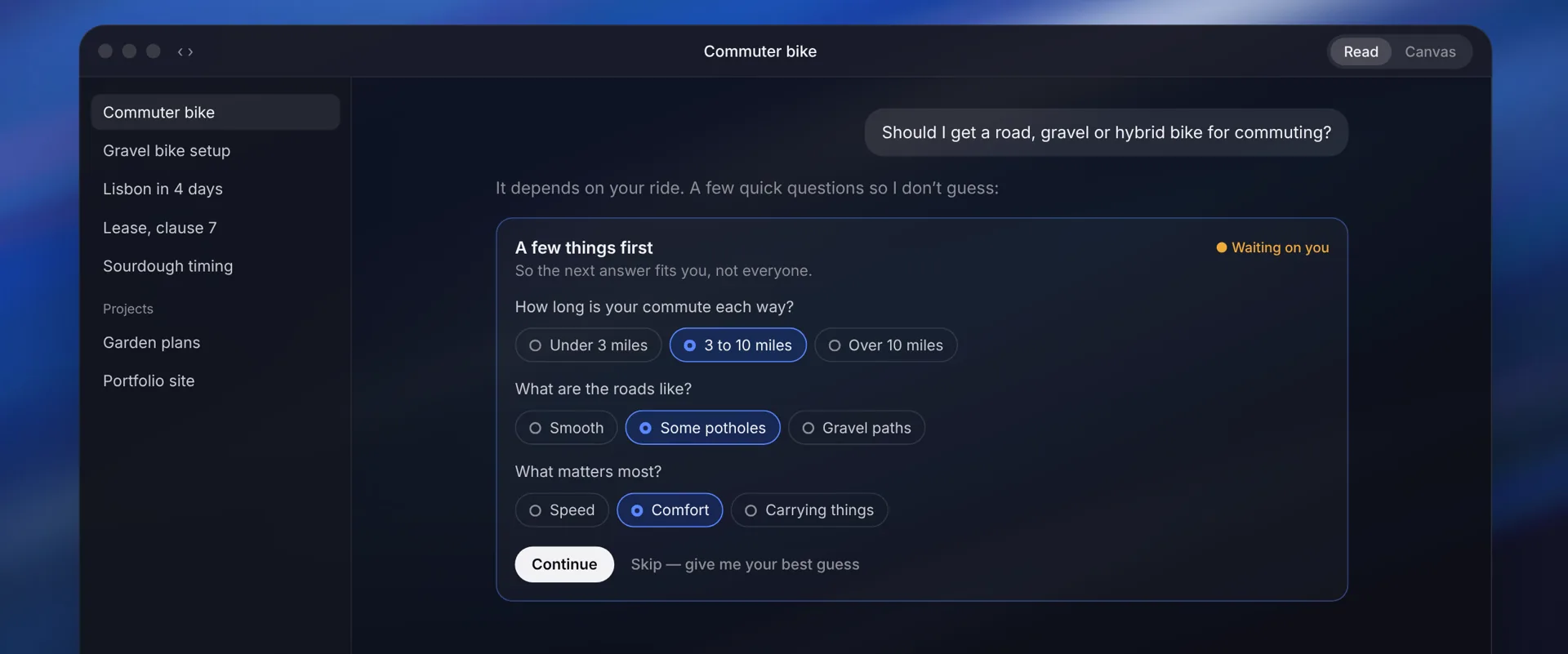
It asks before it guesses
When a good answer depends on you, Infinity asks a few quick questions you tap to answer.
Read and Canvas
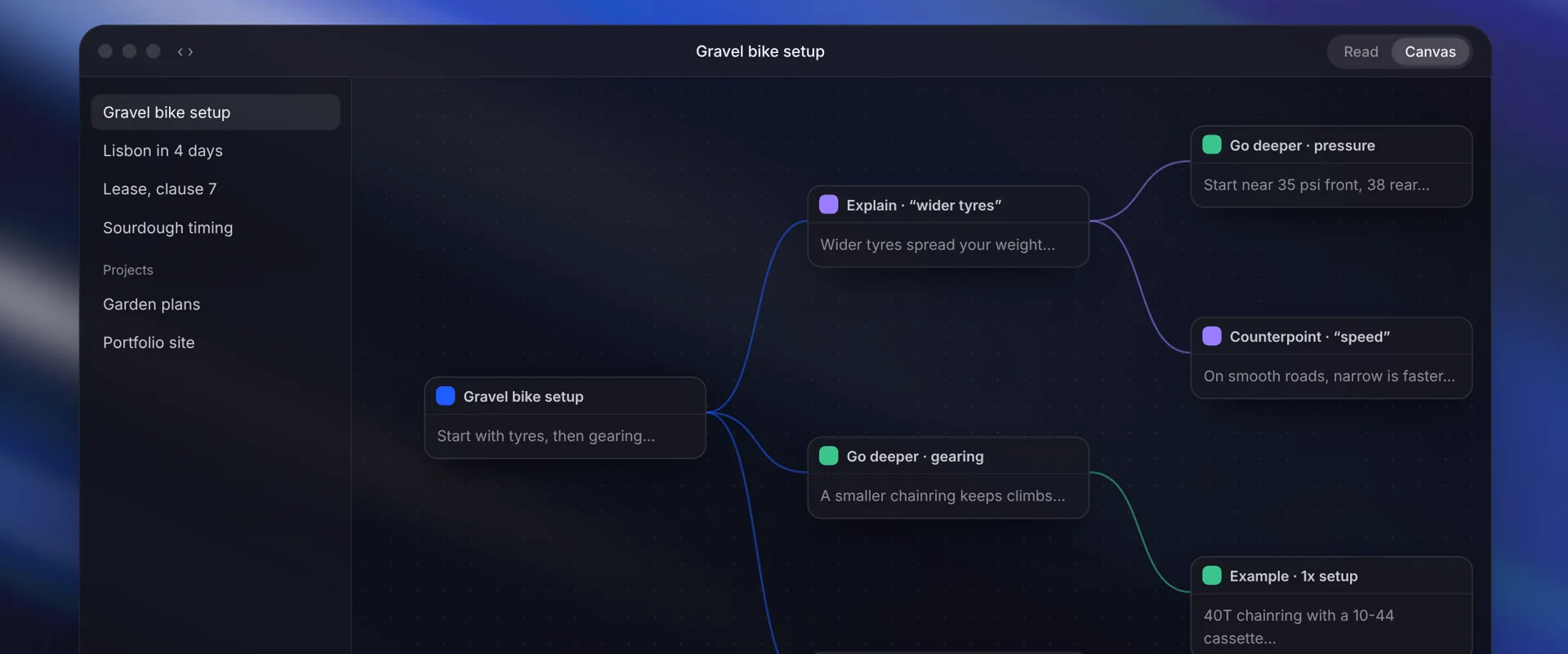
Read follows one path like a normal chat. Canvas lays every branch out on one map (⌥⌘1 / ⌥⌘2).
Ask several
Send one message to up to four models. Each answer becomes its own branch.
Answers in every shape
Charts, tables, comparisons and checklists when a picture is clearer than prose.
Pictures, files and code
Make images, search your folders by meaning, and run code in the chat’s own sandbox.
Projects
Chats, files and memory kept together, shared with Code and Assistant.
How it works
- Ask anything, with any model: local on your Mac or in the cloud.
- Highlight a phrase, or tap a suggestion under the answer, to open a branch.
- Keep going in the branch, open more beside it, or switch to Canvas to see the whole map.
- Make any branch the main one when it turns out to be the answer.
Questions
What is a branching AI chat?
A chat where any answer can split into separate threads. In Infinity, each branch keeps the context before it and stays connected to where it started, so you can explore several ideas without starting over or losing your place.
How do I branch from a phrase?
Select words in an answer. A bar appears with Fork, Explain, Go deeper, Counterpoint and Example. Pick one and the branch opens beside the chat; hold ⌥ to continue below instead.
Can I see all my branches at once?
Yes. Canvas view (⌥⌘2) shows every branch as a card on one map. Restart from any card, fork it, pin it or open it beside you.
Keep going.
Free · macOS 14+ · Apple silicon or Intel